Web Surf with Purpose
A very simple setup to get going and I have now a pretty robust way to ramble on and reference sites and pages and papers external to content within Emacs. There are a few pieces connected around to make it work but I'm surprised it was as easy as it was.
Roam
There is something particually interesting about this way of orgnaizing random files across directories and the like. I talked about this in a post earlier a bit, but it makes more sense with these next features I've added in.
External Citations
Here I think is where this can be more powerful as with an ability to link notes to other things than just other org-mode notes adds a super painless way to keep track of otherwise totally random internet browsing.
Setup
Whilst there are a few different interconnected parts here it isn't the most overwhelming thing to get working. I'm not going to talk about my configuration for Org-Roam or Org mode here as they're sort of separate and this can integrate into however it is you're already using thoose.
Zotero
Unfortunately this can't be declaritively defined in my NixOS configuration but it's pretty basic. Essentially the steps:
- Install Zotero however you do that on your machine.
- Install the BetterBibTeX plugin within Zotero
- Go to file>export>BetterBibTeX and create a file somewhere
/home/liam/dox/bib/refs.biband check 'update automatically' - Add citar and configuration to Emacs so its built in with the C-c n workflow for roam notes.
- Install the browser extension for Zotero
Another optional step here I suggest is to go to Edit > Preferences > Advanced and change the location that Zotero saves all it's information. Annoyingly this is done by default in /home/user/Zotero with an ugly capital letter and right in the home directory.
Emacs
Here we can declare this all as it's just a few additional lines in the ever growing emacs configuration file. Essentially we install a package, Citar, which knows how to read the output bibliography file which is continally updated by Zotero.
Citar essentially reads the Better BibTeX auto-exported library from Zotero and integrates it with Org Roam via citar-org-roam. The bib file is updated automatically by Zotero whenever you save something with the browser connector.
(use-package citar
  :after org
  :custom
  (citar-bibliography '("~/dox/bibtex/refs.bib"))
  (citar-notes-paths '("~/dox/roam"))
  (citar-open-always-create-notes nil)
  :bind
  (("C-c n b" . citar-open)
   ("C-c n B" . citar-insert-citation)
   :map org-mode-map
   ("C-c n r" . citar-insert-reference)))

(use-package citar-org-roam
  :after (citar org-roam)
  :config
  (citar-org-roam-mode)
  (setq citar-org-roam-note-title-template "${author} - ${title}"))
Notice there are some hard coded paths there so if you're copying or doing something similar you'd have to change those.
At this point everything is connected, great! But what do you actually do with this now that everything is talking to everything.
Zotero –> BibTeX –> Emacs –> Profit?
The workflow moves along as follows. Imagine, you're out there reading random articles and what have yous on the internet. Something comes across the screen which is interesting, maybe handy to know, whatever. At this point you can just simply click the wee Zotero button up in the extensions bar of Firefox and move on. If you'd like to make a note of something worth while you found in the article, or you think it may be relevant to something you already have a note on, you can simply C-c n B inside your Org Roam document and you'll be presented with a list of all the pages you've clicked that Zotero button on. These are able to be referenced exactly the same as other nodes you've produced.
What is sweet about this is the papers and pages are stored locally in the zotero directory so you can refer to them later offline. With your cursor over them wherever they're mentioned anywhere in any note you can C-c n b and it'll open. The whole linking system is just reading off an ever growing LaTeX bibliography file which is also portable. If you were to write a document you want to include references for you can just point to this same file and LaTeX will take care of the rest making your finished document look all prim and propper with the correct formatting and the like. You never have to actually look at that bibliography file which will quickly become giant.
Zotero is pretty clever it seems. Even adding like random blogs it seems to be able to get most of the important information out of the page so that a complete citation can be created. Do note that if an error in the syntax does come up for whatever reason you'll notice in the minibuffer when trying to make a link to a file it'll say something like "parsing issue in bib file" and give some detail about where it is. I just deleted a reference when that happened because it wasn't too important. You can go into the actual Zotero application and add or change missing information though.
Roam and UI
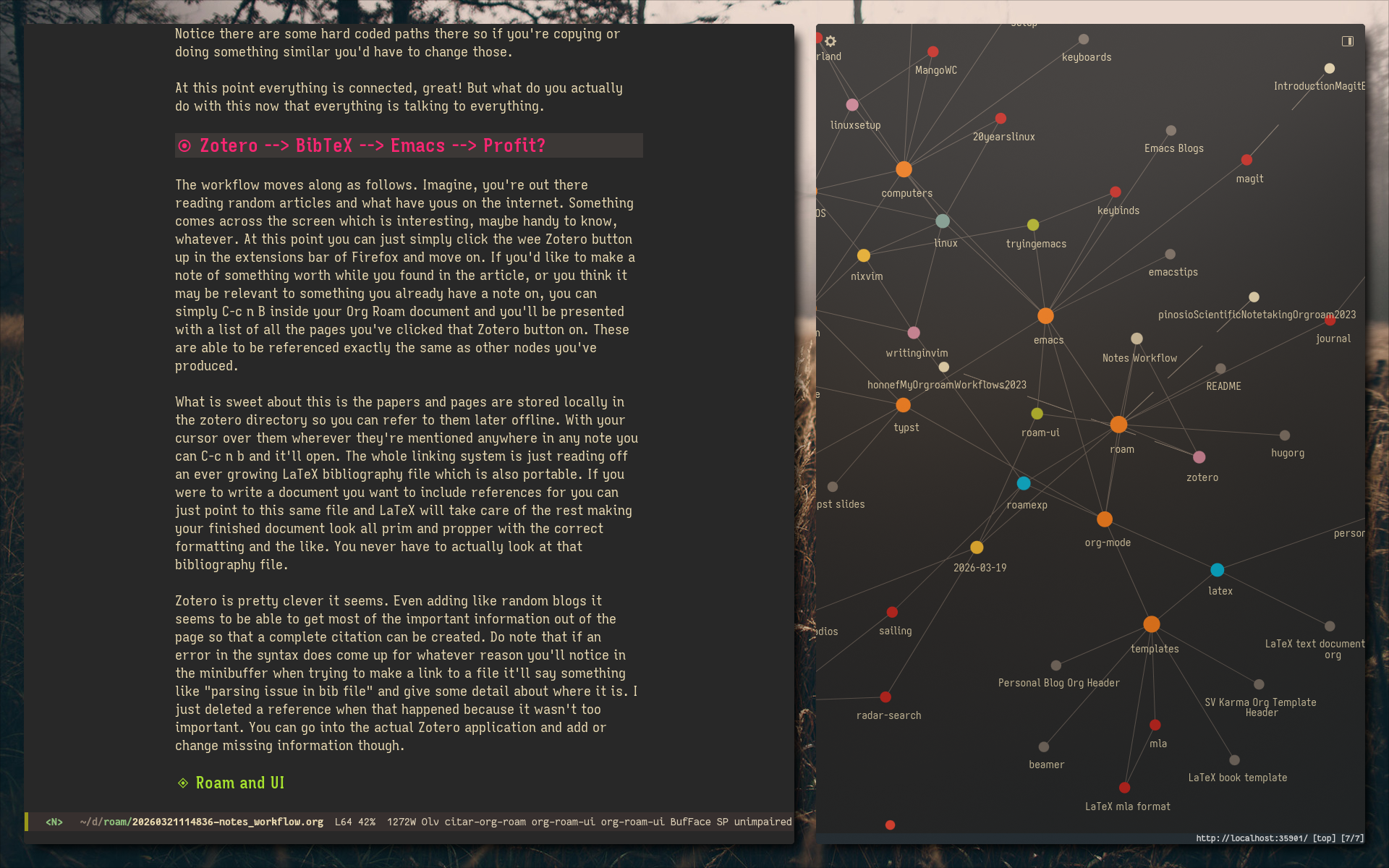
These things you save with that Zotero button become their own nodes in the Roam world whatever that means. Personally, in my use case, that essentially means that if I open the RoamUI mode graph thing they also show up. Could be cool as it's easy to see where what sources are referenced. Also in the text based roam thing you can open with C-c n l you can see them linked as well as other nodes you've written.
Another smaller but maybe still neat part about the Roam UI is if you have it opened as you're adding things and saving things it's sort of cool to see it grow and whatnot. Even just the small additional interesting aspect of this makes it easier to use as its sort of fun.
Why does this matter
I think what is neat here is how easily this all connects and also how entirely painless it is to use. That means it'll be really easy to actually keep this up and grow an organized and searchable database of the oitherwise totally random smattering of internet pages you read and find interesting but usually loose and forget you spent time looking at them. Popping up the UI thing can maybe bring back some random rabbit hole from 3 weeks ago where you spend a few days looking into something but haven't thought about it since.
Practical Use Cases
Really I think just adding pages I've come across and found interesting is going to be the main way I use this. Often times I find myself going back to the same blog post which had an instruction on how to do something but now what I'll do is make a quick note of what I took from that blog and reference it. Easily searchable, takes literally the same amount of time as finding it again, and its referenceable offline.
Also I think it will be useful for keeping track of interesting information I find in sailing blogs as often times very useful information is buried in years and years of posts on some of these longer term cruising sites.
If you're out there doing research on anything or in school I'm not sure why you wouldn't use this. No more easybib.com and no more copying and pasting dumb formatting around. Just blab on and @your-references in the document, read in your notes, then C-c C-e l p and you have a finished document when you're done without the heartache.