Ah yes, makin’ Documents
I feel like this is sort of a contentious thing when people are initially talking about switching to Linux. Everyone, well maybe more used to, use Microsoft Word for one reason or another. You were taught it, the format is pretty widely accepted, you don’t know there were any other options out there, yada yada and so one. When switching then this is immediatly an issue as Microsoft Word doesn’t run on Linux.
Maybe this is a little bit less of an issue now. There are so many online formats people are using like Google Docs and even Word Online and obviously these work, you can get there with any ole browser. I did this during highschool as it was easy to make documents in MLA which is required for some reason for the classic 5 paragraph essay and it was easy to collaborate if need be.
Original Office Suite Approach
There are a number of Office Suites maybe they’d be called for Linux. Famously LibreOffice which I used a lot actually from the age when I first started to have writing assignments which had to be printed but there were yet to be many formatting rules. LibreOffice is, well, alright I guess. In 2008 when I was using it it felt just like Word but cool because it was Linux! But in 2014 it felt like Word, from 2008. I think the project has been moved on from now actually.
There are new office suites as well now. When I was getting annoyed in university at not being able to Google Doc in a field or at some other avant-guard workplace I found a newer suite called OnlyOffice. This is I think some sort of project which is essentially trying to make the standard MS Office suite but for free. The layouts and even the landing pages and stuff are pretty much copies of the MS products for slides, excel, word, and the like. I used their sheets program a lot actually as it was so similar to MS Excel that my stats class that used Excel everything just worked. Pretty cool honestly.
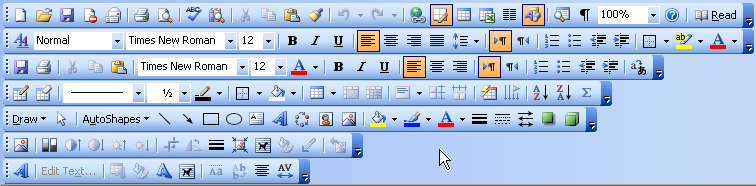
Obviously the draw to go deeper is the fact that you can’t ‘hjkl’ your way around on Google Docs, plus there is a certain neatness to being able to do your homework offline laying in a field. Well, these were my two draws at least. That, and the fact that I hate tool bars. Just when you get used to finding some formatting rule after spending half an hour showing and hiding different bars an update goes ahead and changes the layout and the names and the hunt begins all over again. The other issue with tool bars is its easy to accidentally click something, make a drastic change, but you’re unsure of what that was? Maybe that’s just me.
Wait, can you ViM?
The logical next step is to sit there picking through and resizing menu bars and have the thought, “maybe I’ll just do this in ViM it’s so much less frustrating”. And so then I did…. by making .txt files and then copying the contents into Google Docs or whatever later on to format and then export them to the PDF which I ultimately handed in. Oh what little did I know at this point.
At some point I looked up if people use ViM or something like it to make documents and around the same heard of LaTeX from my fellow academics who were doing math. Okay we are getting somewhere. This was new information for me. Essentially there is a sort of mark up language you can compile to make documents. The first time I made a super simple just a paragraph LaTeX document it was clear this was how bigger projects, textbooks and the like, were made. The “Computer Modern” font by default just oozes fancy pancy. Perfect, this can be done in ViM.
I went about making some super simple templates for things I did a lot like MLA formatting for essays, I had a simple one for notes which was neat because if I changed the header from Article to Beamer it automatically made slides. That sure made some quick work of random assignments already having them done ahead of time essentially after some quick ]s and z= ing around.
LaTeX is super complicated though. Holy dooley you can do a lot but dang it takes sort of a lot of understanding. It’s really a whole programming language and quickly I was out of my depth. I’m not really an academic person, I’m not in that world so I don’t need a lot of that stuff. I slowly amassed a good number of complicated templates which worked for my use cases and then just really didn’t learn more about LaTeX and more just changed the content and turned in the PDF.
My setup at the time worked well for me. I had two bindings in ViM to first compile then return to the document and then there was another which opened it next door in Zathura. Essentially the work flow was as follows:
- Get assigned something to write lets say, “do legal briefs for this case”
- I’d go to my ~/dox/temps/ and find the best looking one for a legal brief for what the professor was expecting
- Copy that to a new folder I’d name after the assignment
- Open ’er up and start doin’ work
- Every so often I’d ESC+ :w and then CTRL+V to compile and the first time I’d throw down a CTRL+S to open the PDF window.
- I used CTRL+G to open Goyo in ViM which centers the text and gets rid of line numbers and the like, makes it less distracting and more /comfy/
- Finish up assignment, PDF is already ready as I was compiling it as I went, usually finding some errors where I accidentally forgot to end something, LaTeX is pretty particular about its syntax
- Email over or print out the PDF
This worked well and I really liked it. The main issue, if I have to come up with one, is I didn’t and still don’t really have much LaTeX skill so if things started to go wild I can’t really fix them. The other thing was if I wanted a pretty particular formatting change it took a long time for me to figure it out or I just got distracted looking through people’s templates on GitHub for one that matched exactly what I was hoping for.
Typst
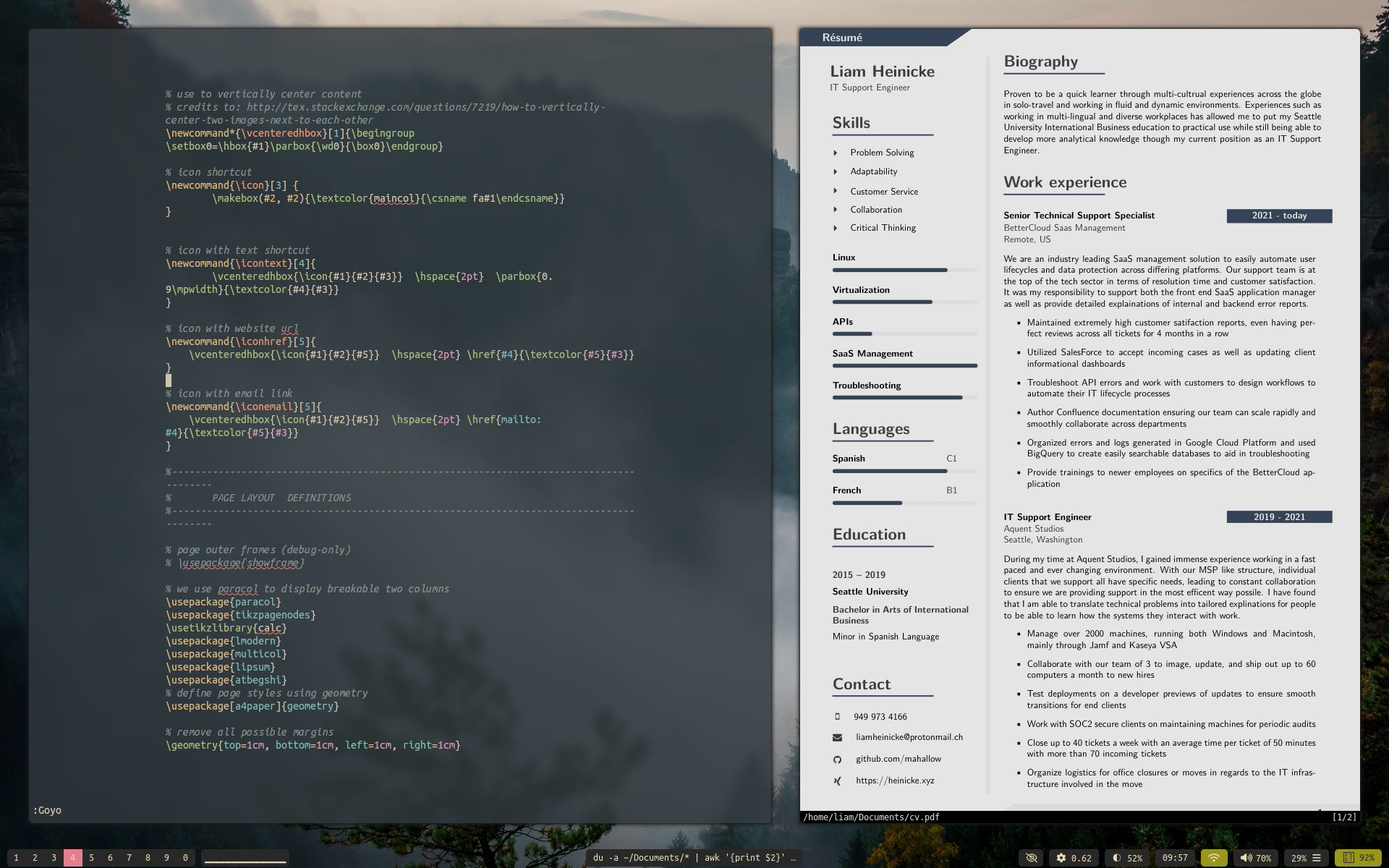
Semi recently I came across a newly made typesetting language called Typst which aims to essentially replace LateX. Now that’s a tall order with all the LaTeX knowledge out there and already made formatting and wide ranging adoption. The reason I think this is a neat project is the learning curve for normal people who just want to make an array of plain documents is almost none. As you can see by the comparison of the two screenshots here, my very complicated LaTeX resume looks noice for sure but I don’t really even know how to change around the formatting it’s become so complicated. The Typst document on the other hand is essentially just markdown and that’s it. You can add formatting later but you can also just type. How can say no to that?
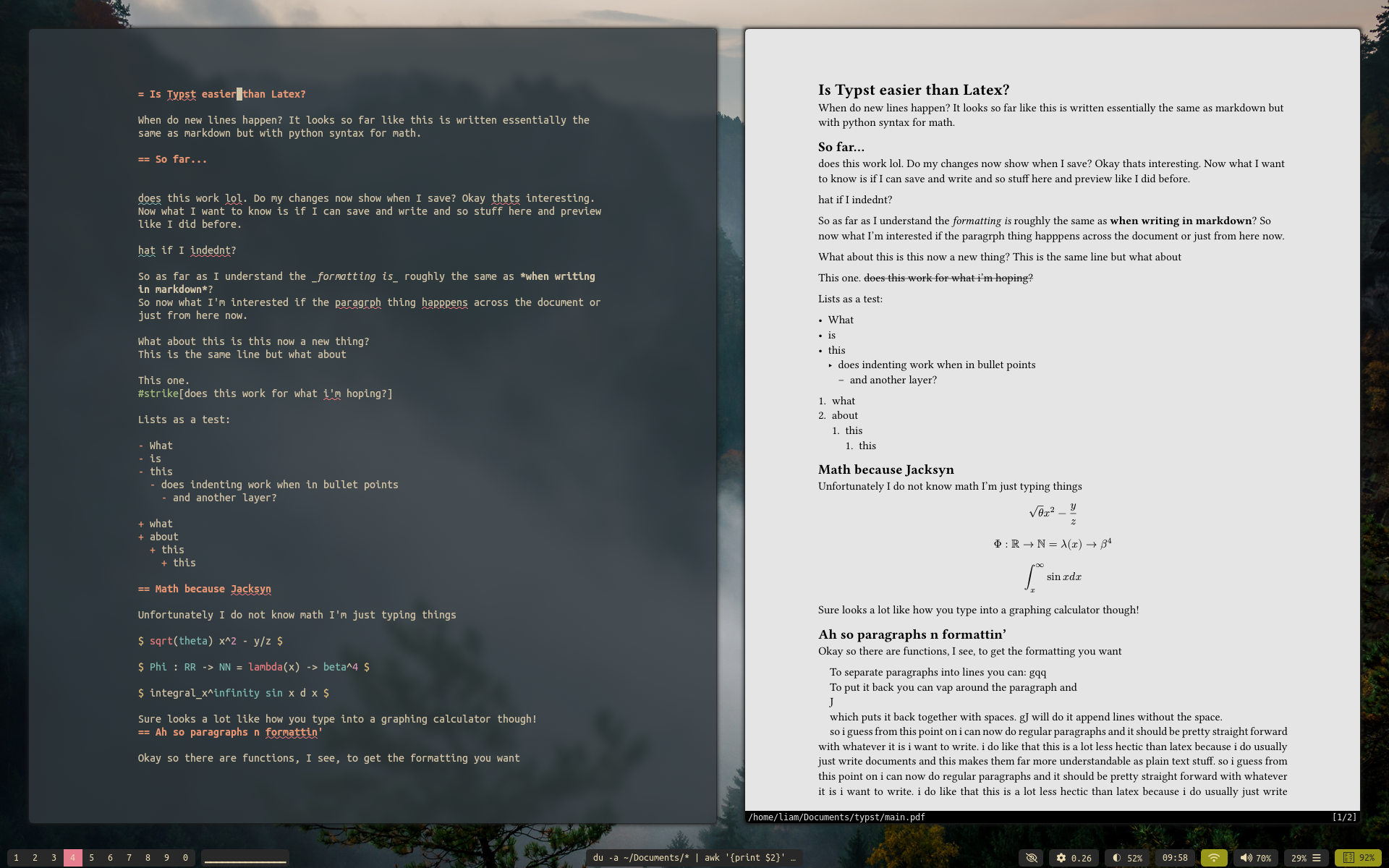
The other thing I like about this is it’s a bit lighter I believe. It has a built in live ‘watch’ command as they call it where it opens a Zathura window and every time the document saves it just live updates. You don’t have to LaTeX recompile all the time and it’s instant instead of the 1 to 4 seconds the other one takes.
I do think there are probably limits in what you can do, I’m not sure for example if I could remake my resume exactly in Typst yet but maybe? Honestly why try though, I’ll keep using my LaTeX template for that but I’ll make a Typst one next time I need to have a different layout for the learning. Making simple word documents though are now as easy as typing and saving. There are some simple starter templates from their site which work well, you can just run ’typst @ whatever template’ essentially and it makes a new folder with a main.typ file you can just start clackin’ away in.
Actually Typing
What this all has in common now though is the writing part is done in NeoViM. My ViM config has changed almost not at in the last 5 or 6 years except for the color scheme a few times and I’ve found another plugin to go along with Goyo called LimeLight which sometimes is nice to have.
The rest of the setup is pretty straight forward. I have set=spell on all the time so I can ]s around and z= my way though spelling errors. I keep the wrapping on in a sensical way as I don’t do much coding really and it doesn’t bother me there but it makes it a lot nicer to work with long lines in documents.
One other interesting thing is I got a theasuarse off of gutenberg.org that I pointed ViM to so I can start typing a word and CTRL+N to look through similar words from that file which is actually sort of handy. There are a million ViM tricks, most are useful outside of just writing but that’s where I mainly use them. I’ll break down my vimrc at some point here so we will just leave it at that for now.