How'd We Get Here
Emacs oh emacs it has such a reputation. Also it's an interesting one because really I don't think its explained too well. It's so often directly compared to Vim as the other long running option for an extensible text editor but then you open it and it's sorta hard to grasp what is actually goin' on?
I've watched enough videos now of people talking about it and I think now I actually sort of get the mindset and idea behind it enough to give it a whirl.
Other thing which wasn't clear ahead of doing some reasearch is Emacs isn't a TUI or on the terminal interface. When you see screenshots of it there are often monospace fonts and similar colorschemes and the like to Vim so it gives that impression, but it's not the case. The fact its a GUI means you can actually have different fonts, different font sizes, and pictures and the like can be rendered. Now with new terminals pictures are available, so that may be less of a distinguising factor. I'm sure in the hayday of both of these the fact Emacs is a GUI application stood out a lot more in ways that now are sort of obsolete. That being said, because its so extensible I wonder what other fancy things you could build into this because its a GUI app.
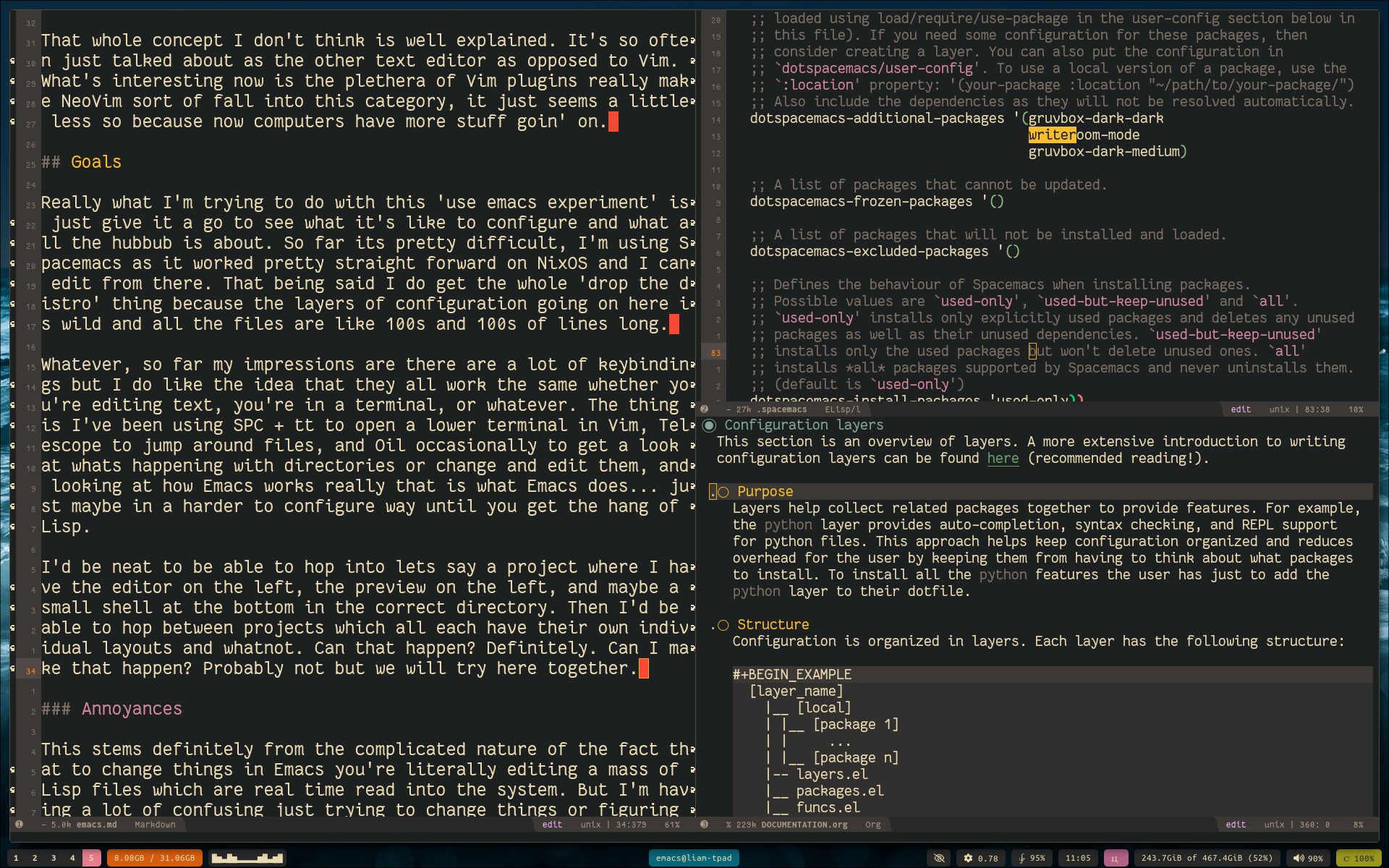
How I'm Understanding it Goin in Initialy
So what's different or confusing here I think is it's thought of a text editor. What I'm now coming to understand is it more of an enviornment and a product of its time. These two things combine to make it primarily used to edit text. Back in the 80s and 90s when this was first being worked on computers were all text files you edited. You then negociated your way around then with some terminal file commands or what have you, saved things, wrote things, compliled things, and whala that was the point of the computer.
The Unix philosophy which I've been sort of honing in on in my own usage of computers for the last while is really "do one thing and do it well". Vim fits into this very cleanly, or at least Vi does. Super fast, runs in the terminal, it just whips up configuration files no worries and then drops you back to the command line once you're done. I'm realizing now that NeoVim is sort of taking a bit of the Emacs approach now, but I'll talk on that later.
Emacs really is a Lisp Interpretor which comes with default Lisp code such that it works as what maybe has become more of an IDE in the modern day. It has it's own way to navigate around files. It has it's own editor, it has its own built in functions and stuff. The power of this comes from two things.
- Because it's essentially all inclusive your keybindings work literally everywhere and it's like everything you're looking at is 1 layer. You can escape and copy lines of text in your files, duh, but you can also escape and copy lines of text in the shell, your file browser, and so on and paste them around everywhere. It's sorta like there is no abstraction from anything.
- If you know Lisp of any sort, you can make it do literally anything. It's just live time reading the source code and you can live time edit it. This means people get really into making it work exactly exactly a certain way. This, in combination with the fact you can do everything from within it, means you can essentially open Emacs full screen and you're off to the races with an entirely single set of keybindings and settings for the entire usage of your machine.
That whole concept I don't think is well explained. It's so often just talked about as the other text editor as opposed to Vim. What's interesting now is the plethera of Vim plugins really make NeoVim sort of fall into this category, it just seems a little less so because now computers have more stuff goin' on.
Goals
Really what I'm trying to do with this 'use emacs experiment' is just give it a go to see what it's like to configure and what all the hubbub is about. So far its pretty difficult, I'm using Spacemacs as it worked pretty straight forward on NixOS and I can edit from there. That being said I do get the whole 'drop the distro' thing because the layers of configuration going on here is wild and all the files are like 100s and 100s of lines long.
Whatever, so far my impressions are there are a lot of keybindings but I do like the idea that they all work the same whether you're editing text, you're in a terminal, or whatever. The thing is I've been using SPC + tt to open a lower terminal in Vim, Telescope to jump around files, and Oil occasionally to get a look at whats happening with directories or change and edit them, and looking at how Emacs works really that is what Emacs does… just maybe in a harder to configure way until you get the hang of Lisp.
I'd be neat to be able to hop into lets say a project where I have the editor on the left, the preview on the left, and maybe a small shell at the bottom in the correct directory. Then I'd be able to hop between projects which all each have their own individual layouts and whatnot. Can that happen? Definitely. Can I make that happen? Probably not but we will try here together.
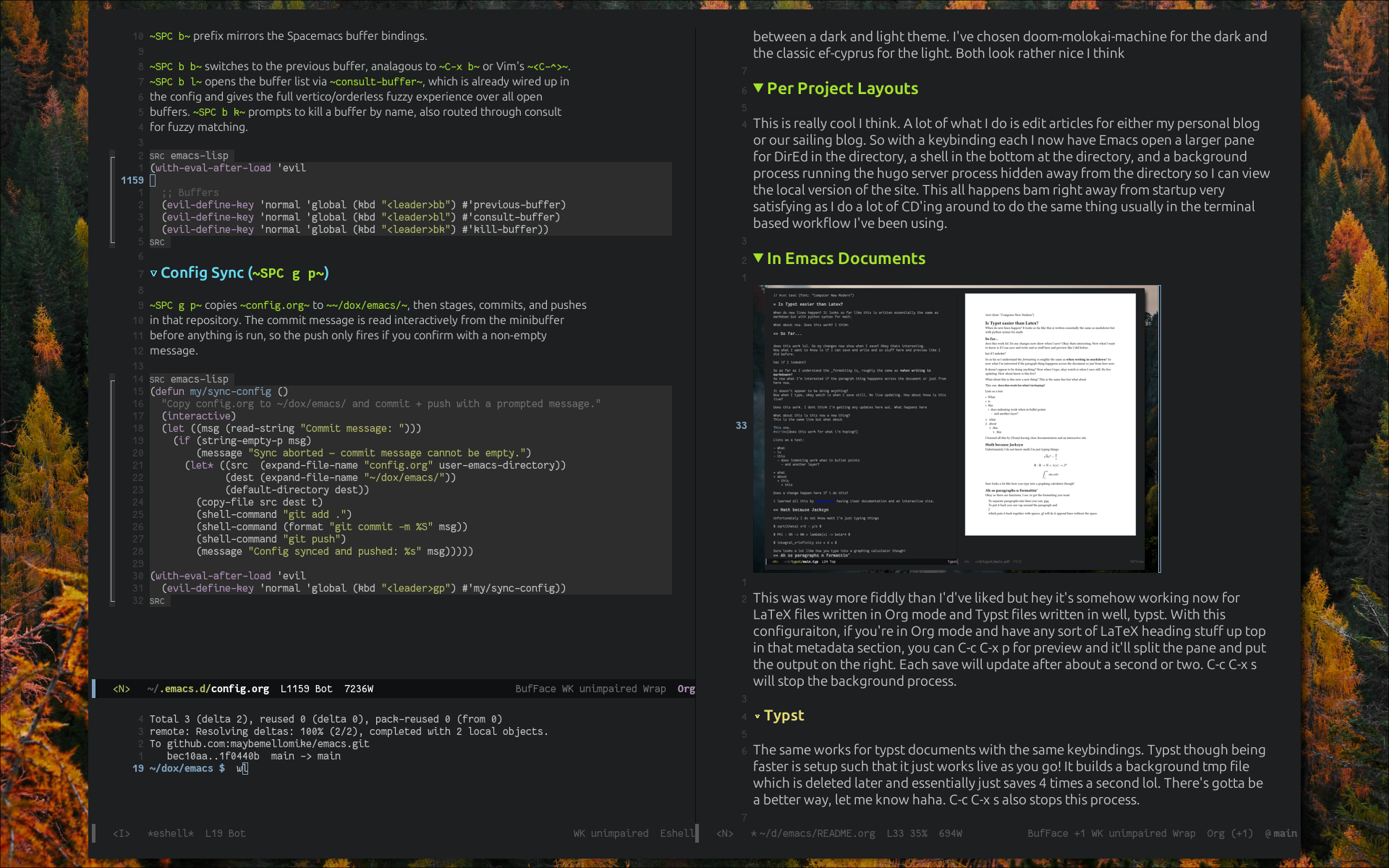
Cool Features I've added
There are a few super neato things I'm liking thus far about what I've gotten setup. Because this is so extensible I've been able to just make automatic things that do a lot of manual tasks I used to do. That being said there are definitely ways to implement similar things with saved scripts and things, so I can see where the philosophies of using either Emacs of the many small interconnected Unix programs differs.
Project based Layouts
I'm not sure if this is the intended way to think about using Emacs but this is one of the first things I came up with. Often times I'm editing this blog or the sailing blog and here is the workflow I usually go through.
- Open a terminal and CD into the directory
- Run either
hugo new content/posts/name.mdor open an existing one in Vim - Open another terminal
- CD into the same directory to run
hugo serverthen throw that on another screen - Occasionally open Qutebrowser to localhost and live view the site to make sure its all working.
- Usually end up opening Yazi or another terminal to confirm where files are and stuff like that.
This works but is a little tedious. So now I have this neat project hotkey I can press which automatically runs the hugo server process in the background inside Emacs, opens a quick fuzzy finder to allow me to just start typing an existing document name, and opens a 1/4th split terminal in the correct directory at the bottom so I can create a new file. The top pane is reserved for either the newely created file or the fuzzy found one. How poppin! I can then C-c o k and it'll kill the background processes.
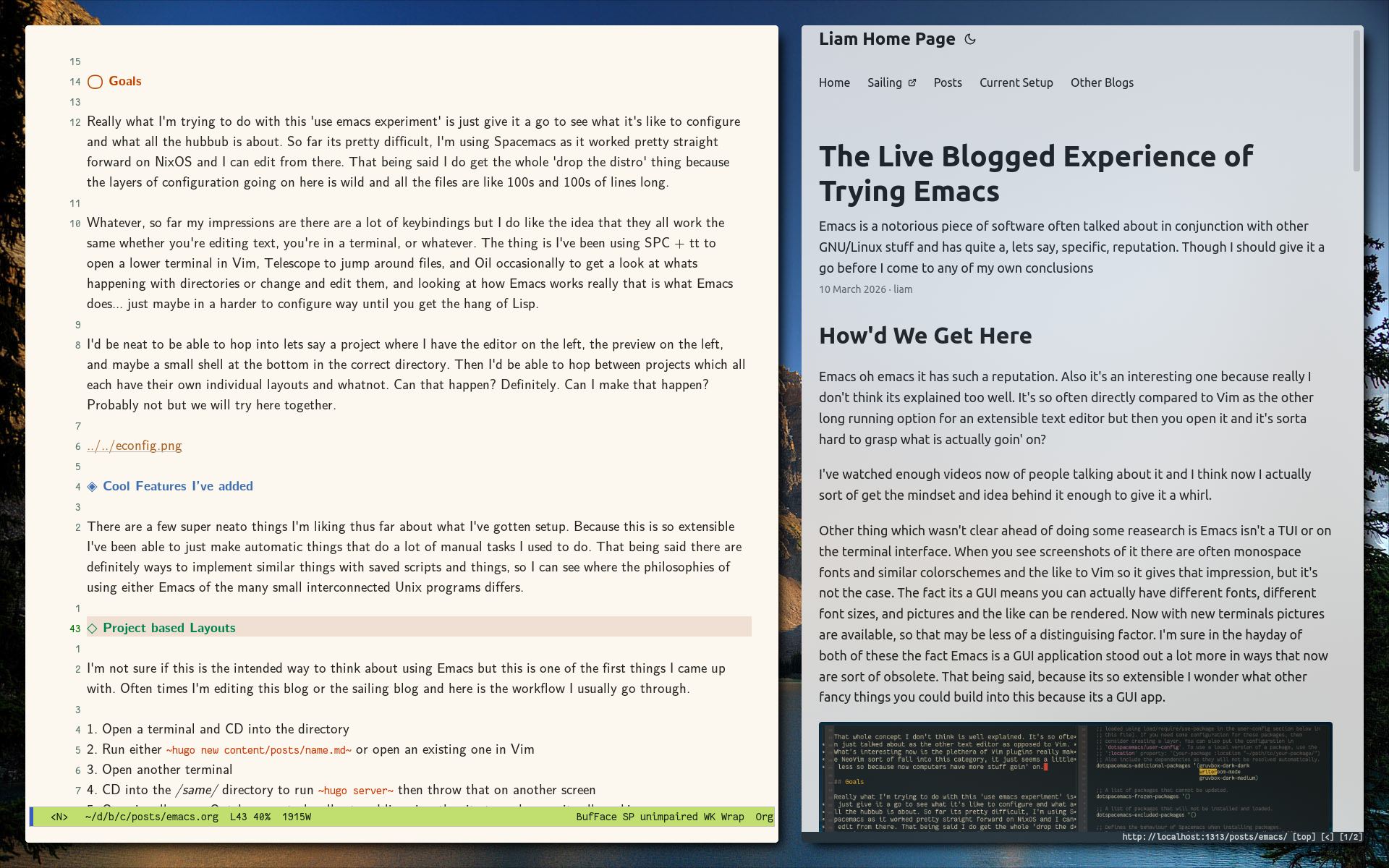
Super easy Dotfile Management
Semi Similar to the previous example, I often go into my /home/dots/ directory and make changes there with a myriad of doas nixos-rebuild test --flake . being run between every change. Here I have a single bind which opens the directory up top, a shell at the bottom, and a fuzzy finder for any file within the directory. Easy opening and splits and stuff, and I can press SPC g r which just prompts me for my password and does a rebuild test right there. Siqqq
Eeeeasy Theme Management/Toggles
Beacause I can consolidate the entirety of the Unix piping workflow into Emacs I can apply just an Emacs theme and it covers everything. I have a few packages installed and some keys setup. I can SPC t t to toggle between my two favorite either light or dark themes. ef-cyprus and doom-tomorrow-night respectivelly, and then I have a few other letters after SPC t that can be used for a few others.
I also like the variation of fonts available. I have the Computer Modern Sans set as the prose font and Fantasque Mono Sans as the monospace font. This makes for some cool looking documents when tryping in Org mode.
Documents
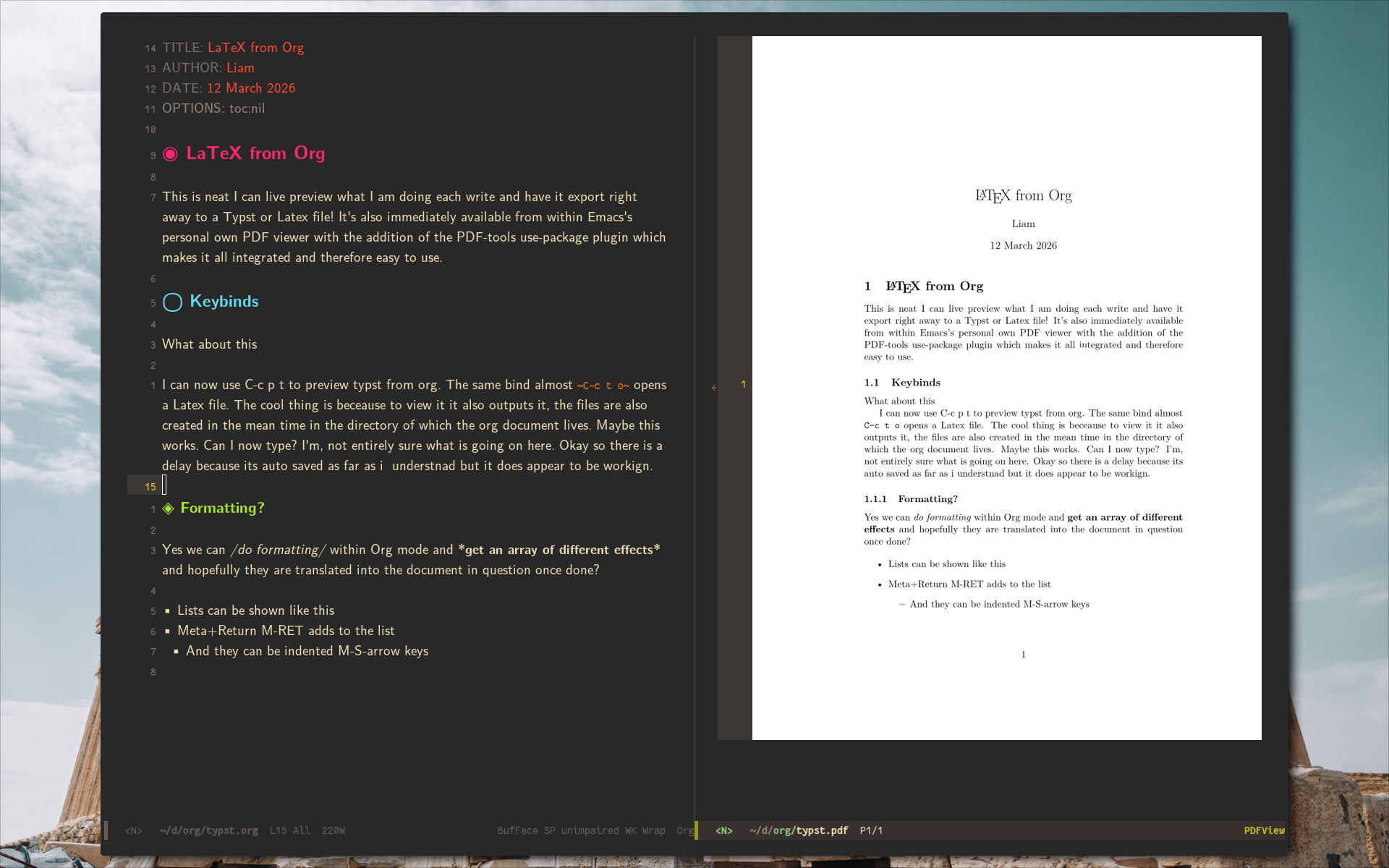
This might need its own section as I think this is a pretty cool aspect of Emacs here. I didn't realize this, but the Haskell project PanDoc is sort of integrated into the way Org works so I can type just Org documents and have them export to Typst, LaTeX, markdown for this site, straight HTML, and I'm sure like a billion other things.
Previews within Emacs
I have gotten previews working where I can type on the left and look at the output PDF on the right for both Typst and LaTeX outputs coming from the same Org formatted document. The Typst implementation is newer and therefore there are a few errors I'm finding when, say, using template headers off of the Typst World template site. Ultimately I can still write Typst files in Emacs though and just export them if need be. Plust I reckon these issues'll be resolved shortly, it's a semi discussed about topic around the web currently.
KeyBinds
I'm trying to use the Emacs style binds for as many things as possible as far as commands and the like go but I can't be bothered to learn the editing ones. Vim binds are everywhere and the muscle memory is 15 years old now at this point and I just like them fundamentally too much. So I've got Evil mode working without issue. I've also gone and replicated a few of the Spacemacs style leader key binds for splits and changing focus and the like. I find that in conjunction with a window manager the built in key chords are a bit clunky and honeslty pretty annoying. I get the pinky jokes now. The HHKB layout though definitely helps.
Conclusion
It's funny, I wrote an outline conclusion initially when starting off stating that I couldn't see myself switching anytime soon. The conclusion isn't here yet I haven't been on this for too long. But now that I've gotten this tuned a bit more….. it might be hard to move away…
I think I may go ahead and post this blog and I'll stick with this for a bit and write a few more as I go. Once I finalize more of what my configuration looks like I'll also post the literate config here as a post becuase, well, apparently you can do that.