What on earth?
Ah, of course as soon as I start looking into something like this it becomes a huge rabbit hole. This time around though, not sure if it’s because I’m reading more, or just because I’ve now been around the block so many times it makes more sense, but this wasn’t too painful.
Looking over how the word of Vim has changed since it all being VimScript and Plug being the new thing, Lua has taken over and this has allowed heaps of neato new extensions and stuff to be built. How nifty, except I’ve’nt the slightest clue on how to use any of that inside my archaine configuration which I’ve just shoe-horned into my /etc/nixos/configuration.nix for the last however many years. More than 10 at this point.
The Discovery
Initially I wanted to add this fuzzy-finding feature people use all the time now. The main picks are “mini pick” or “telescope” both of which work with ‘ripgrep’ which I discover later on. Tossin’ these into my plugins section of the aforementioned config didn’t do anything because these fancy new sort of plugins need to be enabled. What that means, not sure, but after looking at some configs people have shared it turns out this is a Lua function you put in your config which calls them. Shoot, cand do that as far as I understand.
Woa woa, wait a second, there is another ‘customLuaRC’ option in NixOS I can toss in there?! Ohhhhhhhhhh gotcha kk I can toss these new functions right in there! Turns out also a lot of my original set number relativenumber things can be defined the fancy lua way with the vim.opt.set = relativenumber for example.
configure = {
    customLuaRC = ''
        --Settings
        vim.opt.number = true
        vim.opt.relativenumber = true
        };

    customRC = ''
     set t_Co=256
            set paste
            setlocal formatoptions=1
            setlocal linebreak
        };
Plan A
From my newfound knowledge I think it’s time, a new NeoVim config, all in Lua, which works with some of these nifty new fuzzy features. I start adding a few new plugins to the NixWithPackages section tossin’ in telescope, and some more. I get these working by throwin’ in the standard configuration function call thing above in my new CustomLuaConfig section and away its working. Initially thes fuzzyfinders aren’t working but I installed Rip Grep for another reason and found they started to, ah okay so they do use built in system tools, makes sense.
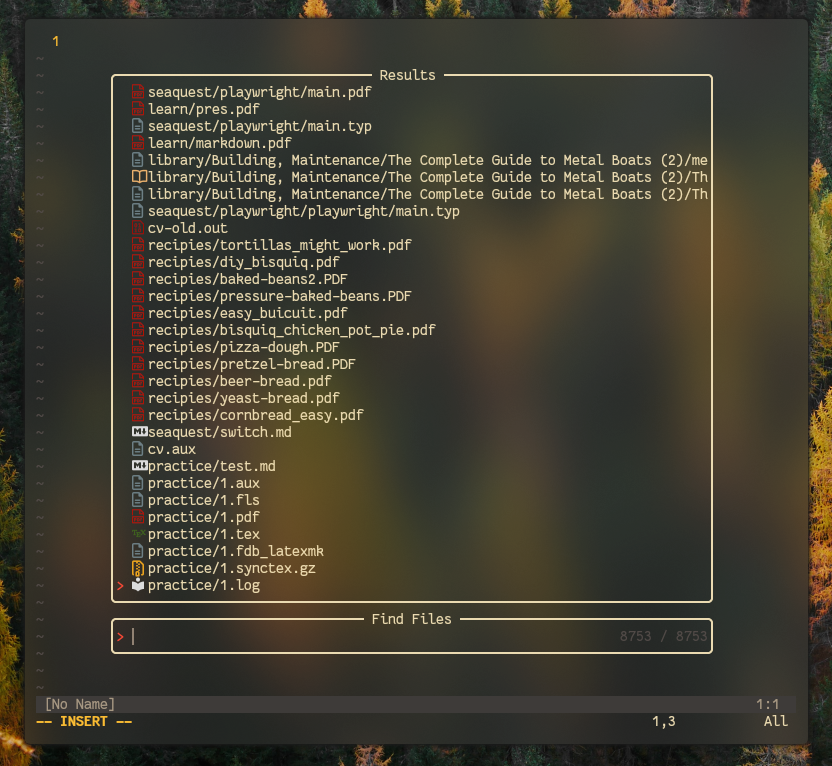
This was going great, I now had half vim script and half Lua with a few new plugins I was liking. Along with some new keys and features for jumping between and amongst files this was gettin’ me excited again learning about this stuff. That was, until I started to understand what LSPs are…
I don’t really understand entirely, but one of the fancy features large scale IDE programs have aside from Telemetry and automatic information stealing and run-a-mok RAM usage is their understanding of what you’re typing so you can get suggestions, definitions, and autocomplete. All that works because of an “LSP”. That’s as far as I get it.
I don’t code really, not a developer, I use ViM to edit dotfiles and write regular person words, but these would be neat, and apparently with this new Lua stuff you can throw some of these features in real easy to ViM. Could be sick, there are LaTeX and Typst LSPs.
NixOS Path Strangeness
What makes NixOS great causes it to often times not work out of the box with packages in a way you hope. They want to put things in one spot and read from there later but Nix wants everything in /nix/store/symlinks so strange imbeaded package managers and stuff cause issues with this. I ran into this with installing Language Servers because they’d go one place and Vim was reading or looking for them in another. Obsfcated by the Nix system.
Looking into this there were a few hacky things to do, changing paths and the like within ViM, WAIT!!! This’ll defeat the purpose. Opening ViM on a fresh rebuild will no longer reproduce exactly the same thing I had going before… Not stable, not rollbackable, gah.
NixViM?
Oh god, of course this exists. Called a “distro” but really it’s not in the sense that LunarVim or whatever is. It’s a Nix derived and configurable version which essentially takes all the Lua options but makes them Nix and then, becuase once it’s all done in Nix, it keeps track of itself and it all works.
Great, my new found Lua config is now defunct but this is sick. Sick if I can get it working.
  let
    nixvim = import (builtins.fetchGit {
      url = "https://github.com/nix-community/nixvim";
    });
  in
  { imports = [nixvim.nixosModules.nixvim];
Initially I was having formatting issues, classic missing {} or something of the sort. But pretty quickly I got it working. Honestly, no video support or anything and I managed to bafoon my way though this and pretty much copy my old setup and get the LSP stuff working along with some neat new fuzzyfinding features!
General Settings
This part is where you first enable the bloody thing after doing the import from above, and then set the things you can use :set bla bla for, done in Lua with the vim.opt.set. Also here you can do the aliasing and default editor thing which, as this is system wide, is perfect as everywhere even in a tty this config flies.
  programs.nixvim = {
    enable = true;
    colorschemes.gruvbox.enable = true;
    globals.mapleader = " ";
    viAlias = true;
    defaultEditor = true;
    vimAlias = true;
    opts = {
      number = true;
      relativenumber = true;
      winborder = "rounded";
Function Calls from Keybindings
This took a bit to figure out as one of the other neat things people are doing for extra fancy keybindings in realation to these new plugins is instead of calling <key bidings> exec ":vim command" they’re directly calling upon like, I wanna say, nested options from plugins? It took a bit but this is how the formatting works to do this inside the NixVim way. Notice the double underscore.
{ # Hover?
      key = "<Leader>lh";
      mode = "n";
      action.__raw = "function() vim.lsp.buf.hover() end, opts";
      }
A lot of people’s Lua configs have these sort of vim.lsp.buf.hover() things in there so take those and format them more or less like so as shown above.
In general the keybindings are pretty straight forward though all following the format above! Much easier to read though I think at least. Maybe though I should seperate this now rather large file out and about as well…. Ugh it just get’s more compicated!
Packages
This is handled in a pretty NixOS compatible way. Each package is available with further settings possible to be broken out. This removes the standard Lua NViM config way of calling functions later and expanding their settings there.
    plugins = {
      web-devicons.enable = true;
      zen-mode = {
        enable = true;
        settings = {
            window = {
              backdrop = 1;
              height = 0.9;
              width = 0.8;
            };
         };
        };
This is obviously just a wee snippit as an example. You can imagine how this part could get huge and it might be worth breaking each plugin out even into its own individual file.
LSP What Have yous
These work much like packages but are defined in a separate list like so:
    lsp.servers = {
        nixd.enable = true;
        nil_ls.enable = true;
        tinymist.enable = true;
The names all match the ones you’d find for people with legacy configs. No further maintenace needed. Nix puts these in the right spots and NixVim knows where to find them later!
Conclusion
Thats all you need! The header thing, some settings, some plugins, some keymaps, and LSP shiz if you feel it could be neat. Knowing you can do $ doas nixos-rebulid test is extremely handy here as I did about 1 billion of them through this process and boi that’d be annoying with how many generations it’d’ve created had I not used test. Last thing is to toss your filename into the imports = ./nixvim.nix or whatever at the top of your /etc/nixos/configuration.nix file so it actually gets read in. See my info on the slicing and dicing of the original file. You could just toss all this into the one file though if you’d like.
Seems like a solid way to do NeoVim on NixOS. No strange plugin management software required and it all looks the same as the rest of the configurations. I like also that I did this without flakes being enabled as I’m definitely still too stupid to understand how to use those.
My configuration is rather easy to understand as it’s in one file and not referenced to for other system formats and the like. It’s on my Github here if you’re looking to do something similar!